
A SaaS website redesign should start with a specific business problem: buyers misunderstand the product, qualified visitors cannot find the next step, or the team cannot maintain the content it needs. Establish which problem you are solving before choosing a new visual direction or platform.
For a marketing team, the redesign is also a content and operating decision. Someone must keep product claims current, publish new pages, maintain integrations and evaluate lead quality after launch. A useful brief connects those responsibilities to the experience buyers need.
Key Takeaways
- Diagnose the problem before deciding whether the whole site needs rebuilding.
- Organize pages around buyer questions and support product claims with verifiable proof.
- Include content operations, analytics and URL migration in the design scope.
- Evaluate qualified outcomes and technical reliability after launch, rather than visual change alone.
Identify the reason for the redesign
Write a problem statement that can be investigated. “The website feels old” expresses a preference. “Operations leaders think we sell consulting because they cannot understand the software from the homepage” identifies an audience, a misunderstanding and a place to test it.
Compare stakeholder concerns with sales conversations, support questions, website behavior and research with prospective customers. Different evidence sources answer different questions. Analytics can show where people leave; it rarely explains the reason without further investigation.
Use the diagnosis to choose a proportionate scope:
| Observed problem | First area to investigate | Potential scope |
|---|---|---|
| Buyers cannot explain the product | Positioning and page copy | Messaging and selected page redesign |
| Relevant visitors abandon a form | Form behavior and expectations | Conversion-path repair |
| Important audiences cannot find relevant information | Navigation and page coverage | Information architecture and content |
| Editors need engineering help for routine changes | CMS model and permissions | Publishing workflow or platform work |
| The site has widespread layout and component issues | Templates and implementation | Broader design-system and build work |
These are diagnostic starting points, not automatic prescriptions. A slow form could involve a third-party integration; changing its visual style would not resolve that cause.
Establish a baseline before changing the site
Inventory current pages and record their purpose, owner and performance evidence. Include organic landing pages, campaign destinations, case studies, documentation entry points and pages used in sales conversations. A page with little traffic may still answer an important late-stage buying question.
Document the conversion events you intend to compare after launch. Separate form submissions, qualified enquiries, booked meetings and sales-accepted opportunities. Confirm that the event definitions and CRM handoff work before treating current numbers as a baseline.
Record the observation period, traffic sources and significant campaigns. A later increase in enquiries may reflect paid distribution or a product launch rather than the redesign. You do not need a perfect experiment to learn, but you do need to state what the comparison can support.
Capture the current technical behavior too: status codes, indexability, canonical URLs, forms and key integrations. This becomes a regression checklist. Keep it available to both the design and engineering teams rather than making launch validation a separate last-minute task.
Map pages to the questions buyers need answered
Give each page a job. A homepage may establish the product category, audience and reason to explore. A use-case page can explain a specific workflow. A pricing page can clarify the buying model. A case study can provide evidence of actual delivery or results.
Avoid creating an industry page merely by replacing industry names in otherwise identical copy. Add a page when the audience has distinct needs that the product can credibly address. Include relevant workflows, constraints, examples and supported integrations. If the evidence is not available, improve a broader page first.
For each proposed page, write a short content brief: intended reader, question, supported answer, proof, next step and owner. This makes gaps visible before the team designs a layout around placeholder copy.
Distinguish buyers from users. An executive may need to understand business fit and procurement, while a practitioner needs to see the workflow. They can share a page when the information remains clear; they may need different routes when their evaluation tasks diverge.
Show the product with enough context
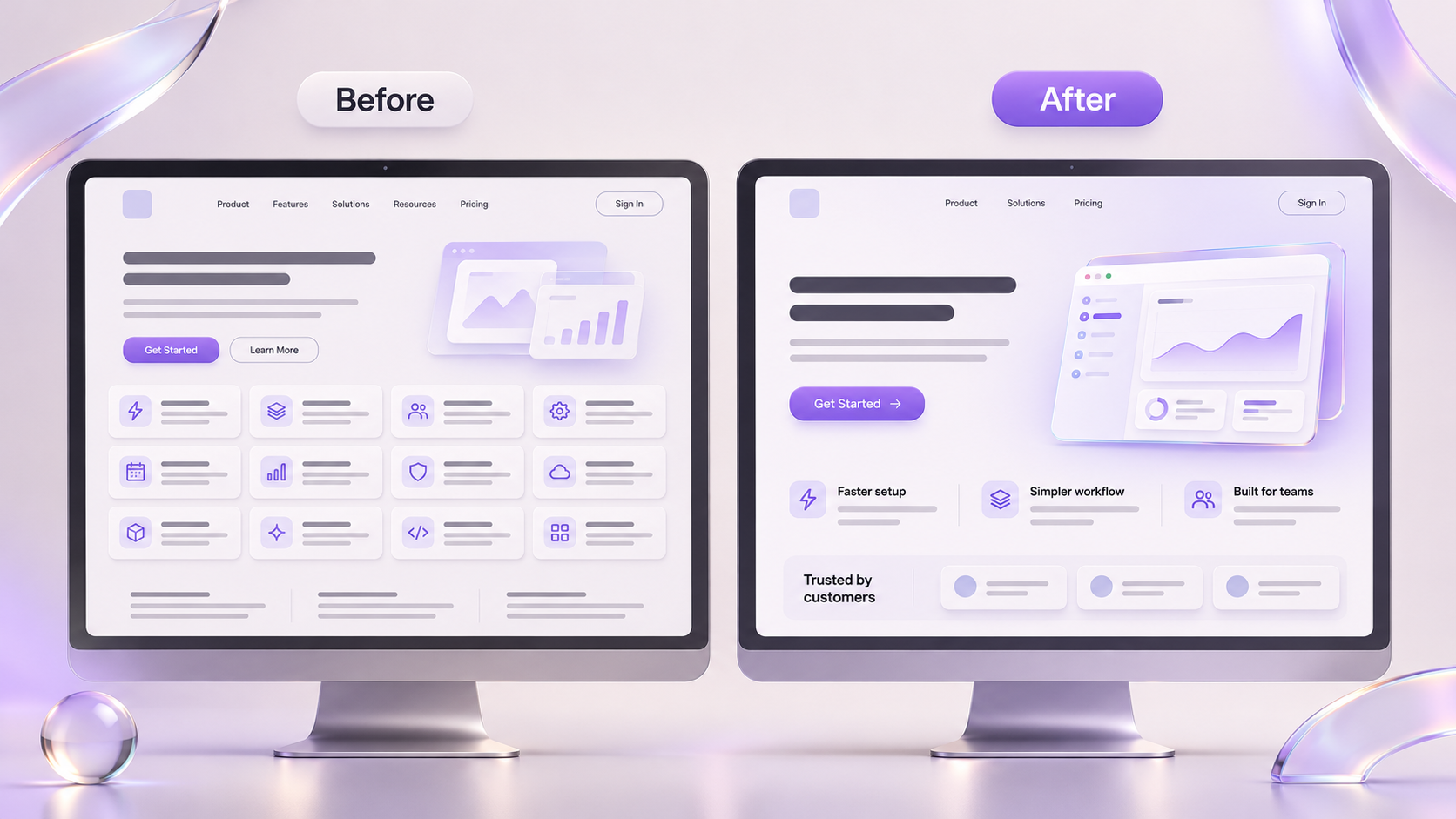
Use screenshots and demonstrations to explain what the product does, with captions that connect the interface to a buyer's task. A polished dashboard without a clear explanation can leave visitors guessing which problem it solves.
Use actual, current product states where possible. Label concepts or planned features explicitly. Remove private customer information and confirm permission for customer names, logos and quotes. Product proof loses value if the reader cannot distinguish something available now from something on the roadmap.
For a hypothetical workflow tool, a useful sequence might show a request arriving, being assigned and reaching approval. The page should explain who performs each step and what happens when approval is delayed. That gives a prospect more to evaluate than a collection of disconnected interface images.
Match claims to evidence. A customer quote can describe that customer's experience; it does not establish a universal outcome. A performance result needs its measurement period and scope. If the team cannot substantiate a claim, narrow or remove it before design makes it visually prominent.
Design the next step around buyer readiness
Choose a primary next step that fits the page. A visitor evaluating a self-serve product may need a trial. A buyer considering a complex implementation may need a qualified conversation. Offer supporting information where it helps the decision, without making every section compete for a different action.
Explain what happens after a form submission. Specify the information the team needs and why. Keep the confirmation state and delivery of the enquiry in scope, including failed submissions and unavailable integrations.
Test the journey from several entry pages, not only from the homepage. A visitor landing on an integration or industry page should understand the product context and reach a relevant next step without reconstructing the site navigation.
Choose the platform around publishing requirements
List the tasks editors need to perform: update screenshots, add a case study, create a campaign page, translate content or revise navigation. Ask the implementation team to demonstrate those tasks in the proposed system before committing to it.
Define reusable page types and the fields they require. Decide which elements editors can change safely and which require design or engineering review. Include preview, approval, version history and ownership in the discussion where they matter to your team.
Evaluate technical performance using representative content and integrations. Google's Core Web Vitals cover loading, responsiveness and visual stability through LCP, INP and CLS. Evaluate field measurements at the recommended 75th percentile when available; use lab testing to investigate problems rather than treating one score as the whole experience. Google's Web Vitals guidance explains the measures.
Make migration a defined workstream
If URLs change, map each valuable old URL to its relevant replacement. Google's migration guidance calls for preparing the new site, mapping URLs, configuring redirects and monitoring the move. It does not promise unchanged rankings during a transition. Google Search Central's site-move documentation provides the implementation reference.
Before launch, confirm that:
- Redirects lead to the intended destinations and do not create unnecessary chains.
- Indexable pages have the intended canonical URLs and appear in the appropriate sitemap.
- Staging restrictions do not accidentally carry over to production.
- Navigation, contextual links, forms and CRM delivery work on the live domain.
- Important content is available to search crawlers and users in the implemented pages.
- The team has a rollback or repair procedure with a named owner.
Keep a record of intentional removals. Do not send every deleted URL to the homepage simply to avoid an error; decide what the visitor should receive based on the original page and available replacement.
Review outcomes after launch
Start with operational checks: broken journeys, unexpected errors, indexing problems and missing analytics. Then compare meaningful acquisition and qualification outcomes over an appropriate period, accounting for changes in traffic and campaigns.
Review the editing experience as well. Can the marketing team maintain the site without rebuilding sections for each update? Are product claims and screenshots assigned to owners? A redesign that is difficult to maintain will drift from the product it is meant to explain.
To prepare a focused scope, request a SaaS website review with your current sitemap, buyer audiences and the business problem you want the redesign to solve.